 WebMail


Baseus Spacemate USB-C dock review: Too clever for its own good
Expert rating
Occupation
- Well designed, compact
- Unique screen lock buttons and icons.
- Keeps cool.
- Attractive price
- Can power up to three displays.
Cons of
- Subpar performance
- Three 4K displays only operate at 30Hz.
- Does not over power the laptop.
Our decision
The Baseus Spacemate 11-in-1 Docking Station has some quirks you might like, but its subpar performance hurts its chances.
The Baseus Spacemate 11-in-1 Docking Station (BS-OH137) doesn't sound like the best idea: a typical USB-C docking station capable of three 4K displays isn't really feasible on paper. In the real world this is a more practical solution than you might think, but I still wouldn't recommend pushing this dock to its limits.
Simply put, the Bassus Spacemate offers the possibility of connecting three 4K displays at 4K resolution, but only at 30Hz. It's not particularly comfortable to work with for long periods of time, so it's best to think of the dock as a more traditional USB-C dock that's only capable of connecting two 4K displays, provided you have the right one. Have hardware. A few interesting gimmicks — a lock screen button, light-up port icons, and a sticky pad stand — add some frills.
This is another dock that uses Display Stream Compression (DSC), a technology found in HDMI 2.1-capable devices such as Nvidia GeForce 3000-series laptops with discrete GPUs, but also modern hardware such as Intel 13th-gen Core chips and above. It's visually silent, which means you won't see the compression algorithm taking effect. If your laptop is DSC-enabled, you'll be able to connect three 4K displays at 30Hz, or two at 60Hz. If you don't have DSC, you'll be able to connect two 4K displays at 30Hz or one at 60Hz.
This review informs our list. Best USB-C Hubs and Dongles
Display issues aside, this docking station has some drawbacks.
Mark Hechman / IDG
Mark Hechman / IDG
Mark Hechman / IDG
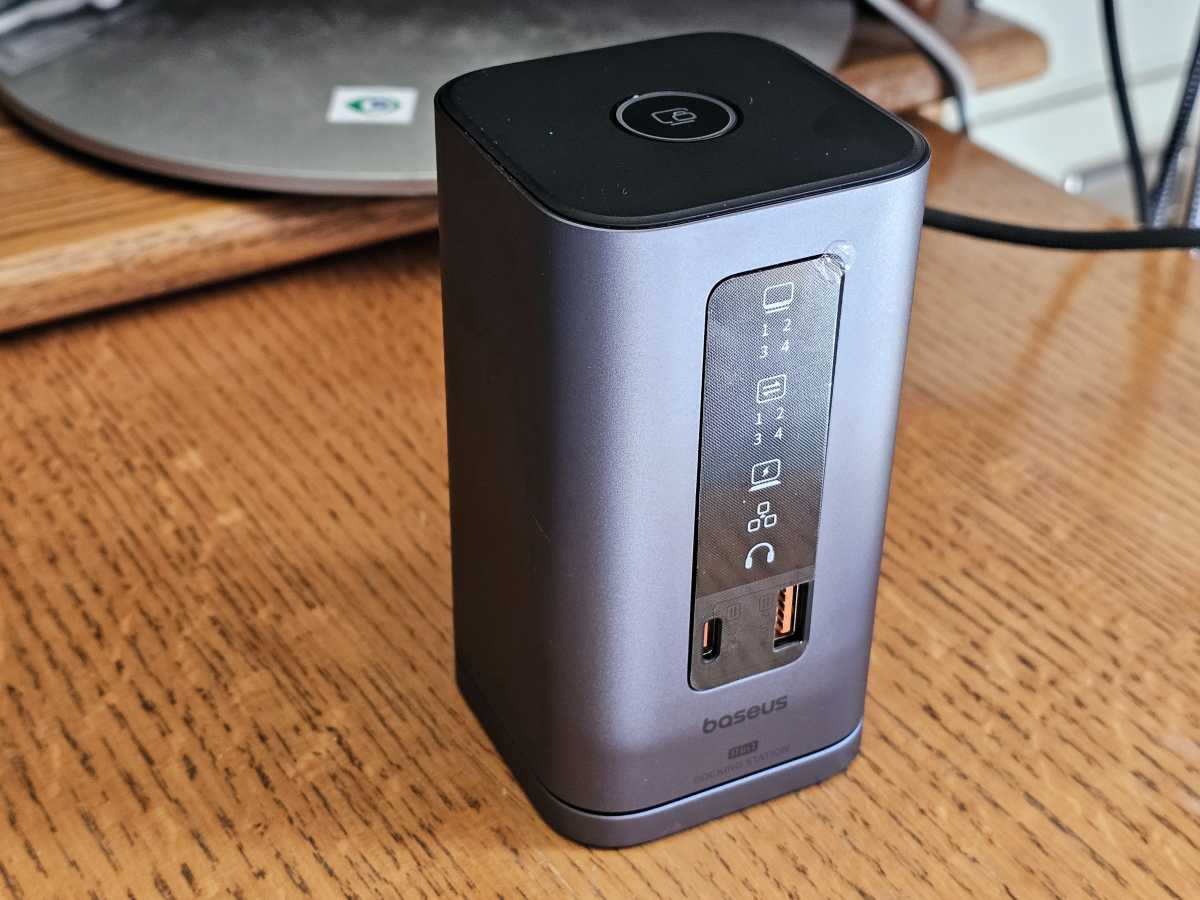
Physically, this is a very nice little dock; It stands 4.5 inches tall, sits square with about 2.5 inches on a side. It has a braided USB-C cord, measuring about 2.5 feet. I think it's a little too big to fit in your bag, but you may feel differently. This dock does not include a power brick, so your laptop charger can be plugged into one input port, accepting up to 100W.
Some docks come with a stand. Baseus dock comes with a sticky bottom that is revealed by peeling off a layer. But I also don't think it's necessary, because the dock remains stable without it. Overall, this dock feels well built, and I've never noticed any issues with the aluminum chassis warming up under load.
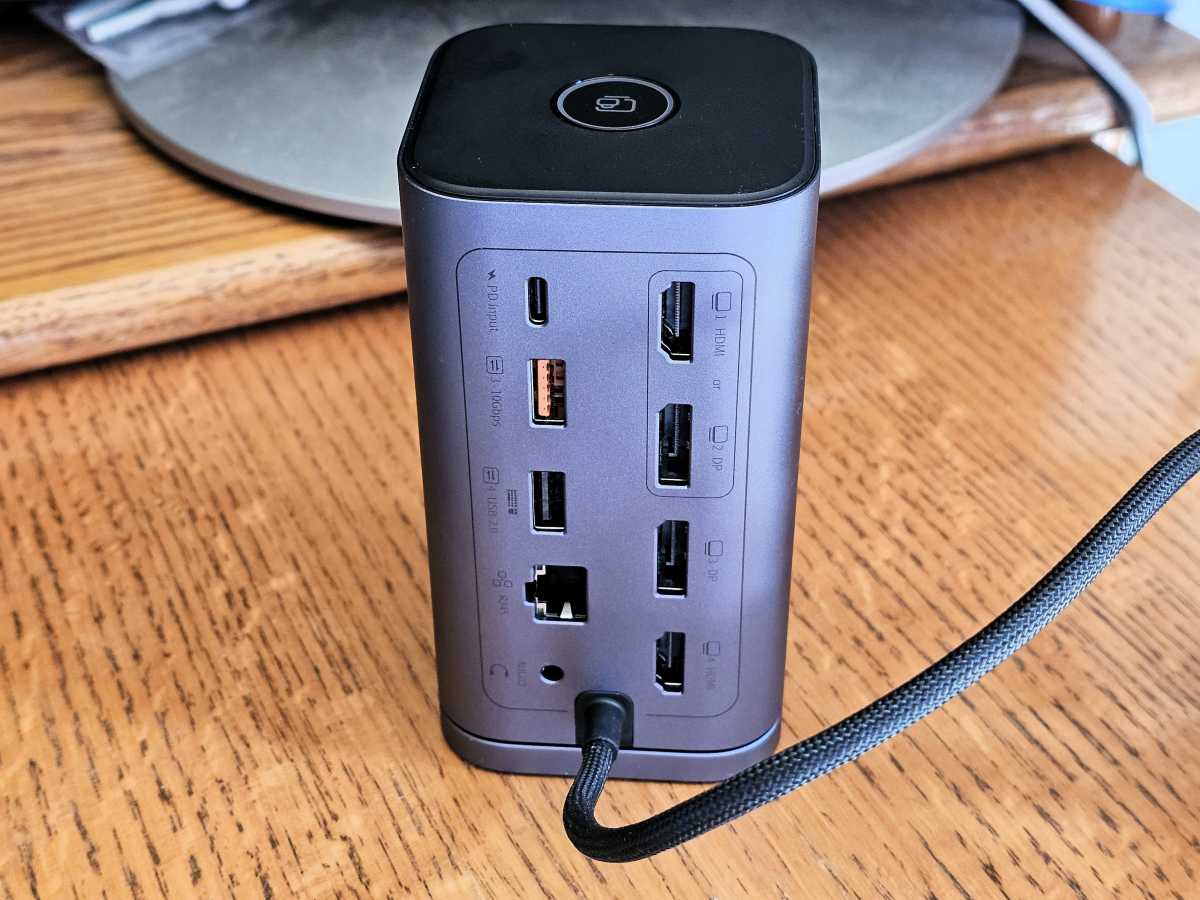
Ports include a 10Gbps USB-A and USB-C port on the front of the dock. Neither supports charging. On the rear, you have the choice of using HDMI or DisplayPort 1.4 for your first connection, then HDMI and DisplayPort, for your second and third display connections. On the back you'll find a 3.5mm headphone jack, gigabit Ethernet, and a pair of USB-A ports, with one port scantily labeled to identify a legacy mouse at 480Mbps and the other at 10Gbps.
Mark Hechman / IDG
Mark Hechman / IDG
Mark Hechman / IDG
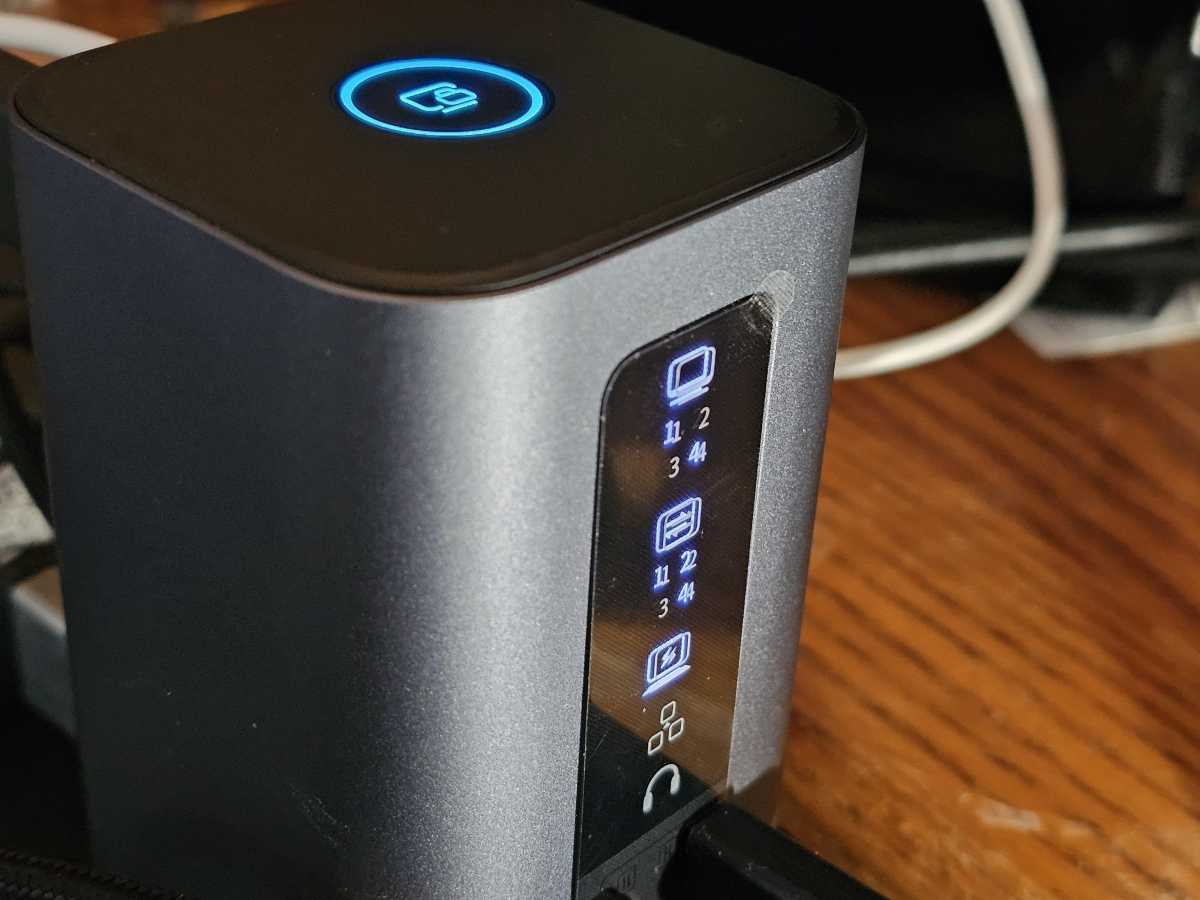
For some reason, Baseus thought the dock needed a button to lock your screen. A lit icon at the top of the dock indicates that the dock is plugged in. On tapping, it does the same thing Win + L Shortcuts.
The dock also includes several LEDs on the front of the dock to indicate that you've plugged devices into different ports, such as a cable that connects to the dock's HDMI and DisplayPort ports. Again, this seems like over-engineering, though Baseus says the LEDs will indicate if a device has been inserted incorrectly.
Amazon's web page listing shows very few reviews, with many not satisfied with the product's durability. On the first laptop I tried, I could only get the second display to connect at 1440p instead of 4K60. But it wasn't on the small cadre of other testing laptops I plugged in, even though I had to set the displays to the appropriate resolutions. However, that is to be expected. I didn't notice any dramatic graphics glitches or instability. However, I noticed a slight stutter while playing the 2D game.
Mark Hechman / IDG
Mark Hechman / IDG
Mark Hechman / IDG
Performance of the Baseus Spacemate 11-in-1 Docking Station
I tend to evaluate stability over the course of about two days using the dock for everyday office tasks, after-hours gaming, as well as more formal performance testing. I sometimes use the dock longer than that, just to cement my impressions. Again, I didn't see any of the stability issues that some users have complained about. Although this dock will drive three displays, I generally used it in a two-display configuration for comfort.
Because this dock isn't powerful (and the ports aren't designed for charging) I didn't bother to test this aspect of the dock's performance. The dock only transferred 72W of maximum power to my laptop, however, which is less than I expected. I'm not sure the dock indicator lights are sucking that much power, but that would likely be the culprit. Your laptop may complain that it's not getting enough power.
Dock performance was slower than expected, except for streaming. There, the Baseus dock only dropped 3 out of over 10,000 test frames. it's awesome. But the storage performance of the dock was only 113.2MB/s, with a score of 737. a Rival USB-C hub from Dockcase Transferred data at 138.9MB/s, giving it a score of 903.
Basis definitely put some thought into the design of their compact little docking station, and I appreciate that. However, the extra features unfortunately feel redundant, and performance is lacking. I think there are better alternatives on our list. Best USB-C Hubs and Dongles.


