 WebMail


At WWDC, Apple Unveils Apple Intelligence and Previews New OS Features | Computer Hardware
The keynote of Apple's Worldwide Developer Conference was lightning fast (even Full 1:44 long video– Or try to. 3 minute summary) see what Apple is bringing to the software side of the Apple experience next year. While some past keynotes have introduced hardware like new Macs and Vision Pro, this year's keynote previewed the suite of AI features grouped under the term “Apple Intelligence” before the operating system. Stuck on the new features.
Apple previewed a boatload of new features and listed even more on its website. We'll focus on the ones we think will add the most to your Apple experience, but we recommend you scroll through Apple's pages for each operating system to see what else is happening. Is. They are attached below along with the basic hardware requirements so you can see if your devices will be eligible for the upgrade (not all features will be available on all devices):
- Macos 15 Sequoia: iMac Pro 2017 and later, MacBook Pro and Mac mini 2018 and later, iMac and Mac Pro 2019 and later, MacBook Air 2020 and later, and Mac Studio 2022 and later
- iOS 18: Second-generation iPhone SE, iPhone XR, and later (as of iOS 17)
- iPadOS 18: 7th generation iPad and later, 5th generation iPad mini and later, 3rd generation iPad Air and later (including M2 models), 1st generation 11-inch iPad Pro and later, and 3rd generation 12.9-inch iPad Pro and later, and all M4 iPad Pro models
- WatchOS 11: Second-generation Apple Watch SE, Apple Watch Series 6 and later, and Apple Watch Ultra and later
- TVOS 18: Apple TV HD (with reduced features), Apple TV 4K
- visionOS 2: All Vision Pro headsets
Here are a handful of new features we think Apple users will find most interesting. Then we'll look at Apple Intelligence.
Personalize your iPhone and iPad home screen
iOS 18 and iPadOS 18 introduce significantly improved home screen customization options aimed at letting your creativity shine. You can leave spaces between icons and arrange icons and widgets to your liking. Additionally, you can resize icons and widgets and apply color tints.
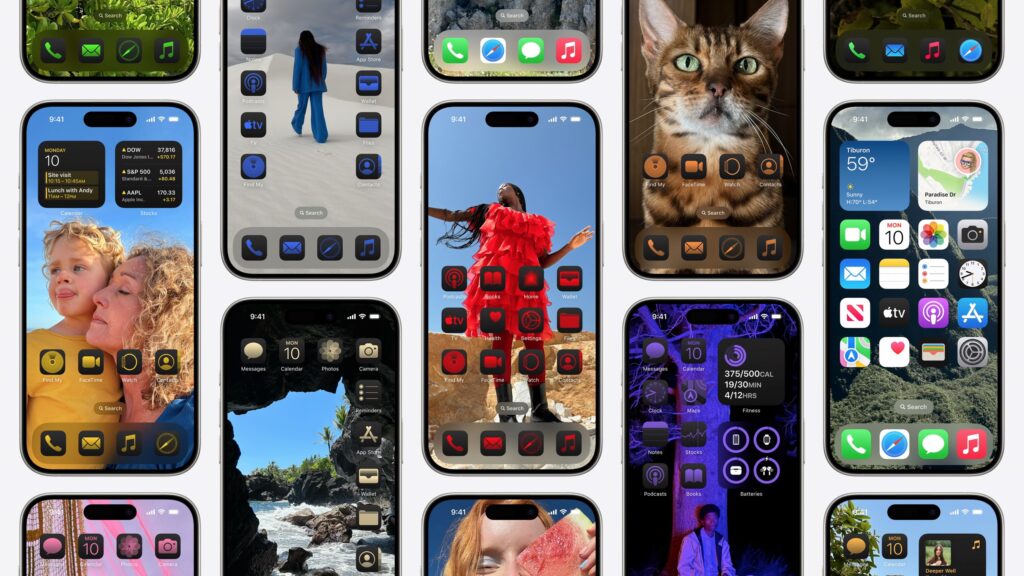
Screenshot
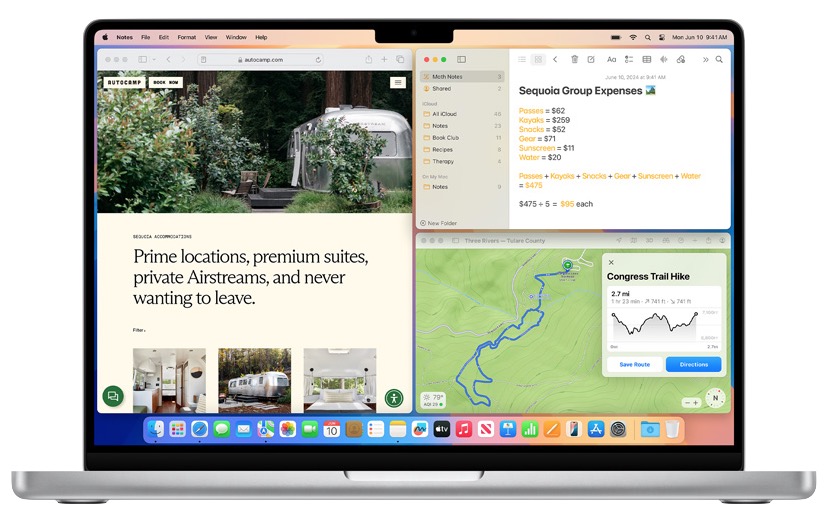
Automatically tile windows in Sequoia.
macOS has long had a subtle window alignment effect that makes it easier to line up windows, but in macOS 15 Sequoia, when you drag a window to the side of the screen, macOS suggests a tiled position on your desktop. does, and intelligently resizes it. Window Material Tiling windows makes it easy to place windows side by side and fill the screen without wasting space. Keyboard jockeys will also appreciate the new keyboard shortcuts for window tiling. (If you don't want to wait for Sequoia, several utilities now offer similar features, including Sapphire, Better Touch Tool, Magnet, wax, RectangleAnd The wild.)
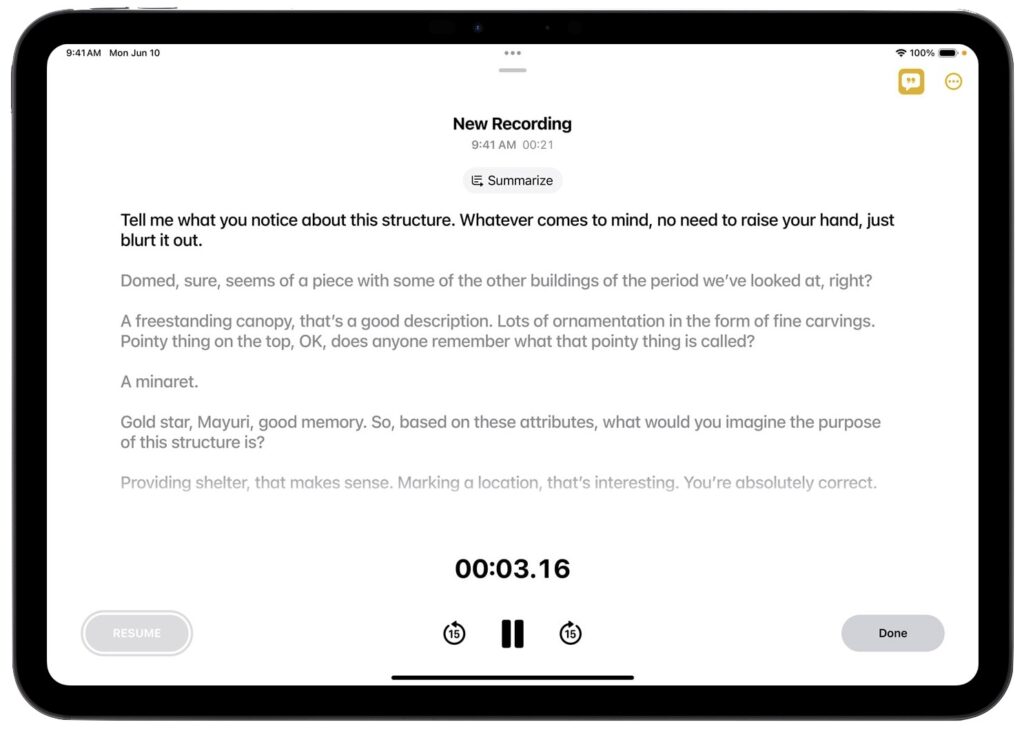
Notes and phone gain audio recording and transcription
If you find yourself wanting to revisit what was said in a lecture, appointment, or phone call, a pair of upcoming features can boost your recall. The Notes app on all platforms will record audio and create live transcriptions, allowing you to focus during the talk instead of frantically taking notes. Plus, the Phone app in iOS 18 will let you record and transcribe a live call—when you start recording, participants are automatically notified so everyone knows it's happening.
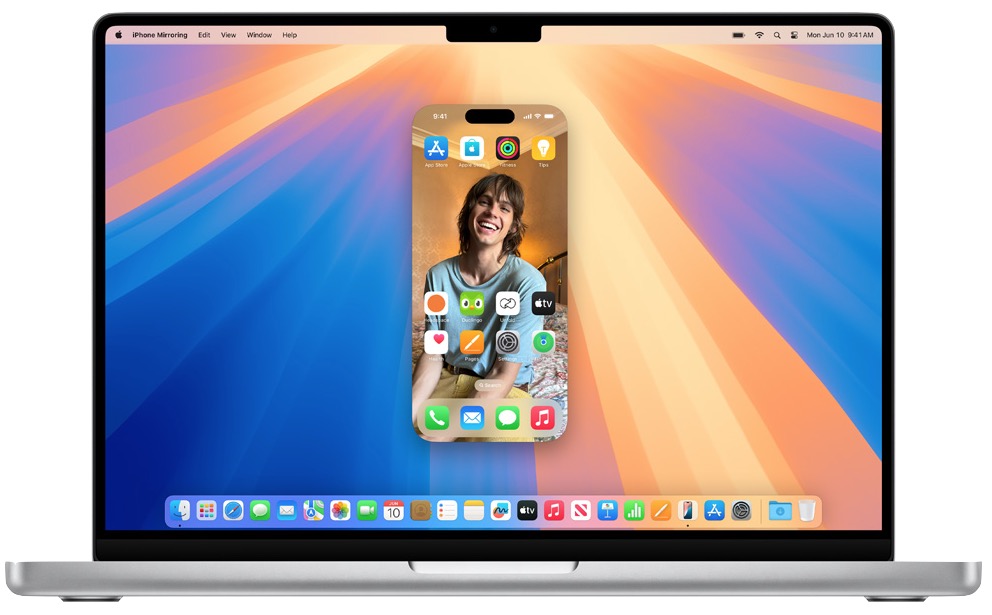
Mirror your iPhone on your Mac.
If you often pull out your iPhone while working on your Mac, you'll appreciate Sequoia's new iPhone mirroring feature. It lets you use your Mac's pointing device and keyboard to interact with all your iPhone apps in a window on your Mac while iPhone is locked or in standby. Audio from iPhone plays through your Mac, and you can share data between devices with drag and drop. A related Continuity feature displays iPhone notifications on your Mac — when your iPhone is mirrored, clicking on those notifications opens the corresponding iPhone app.
Passwords are cracked without settings.
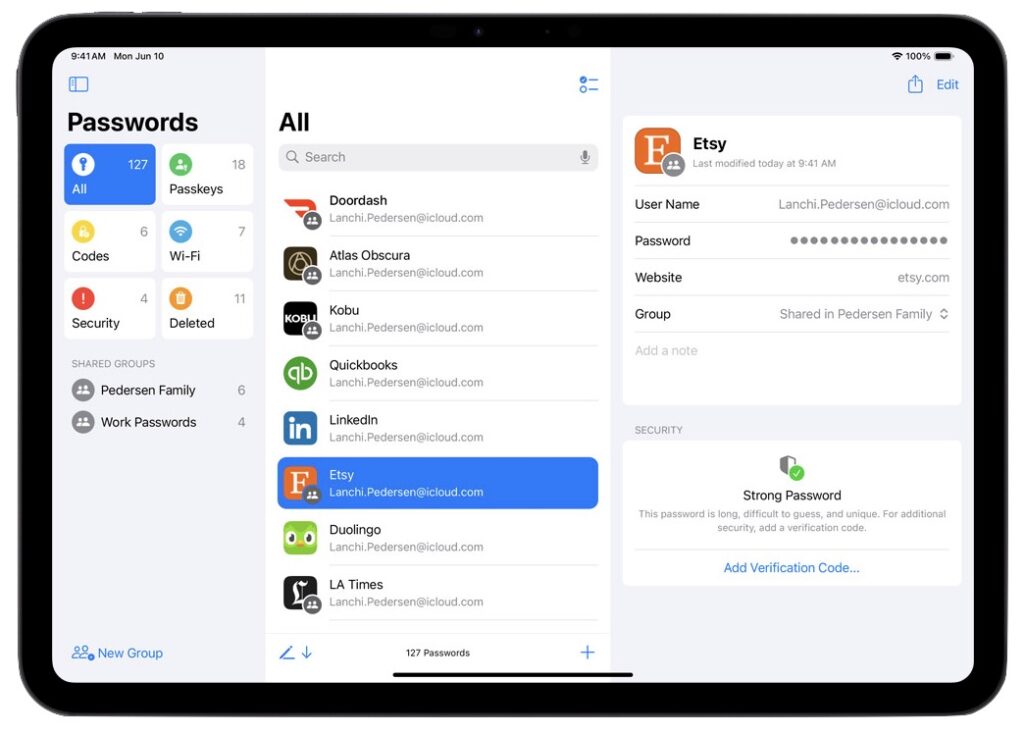
Finally, Apple gave us a dedicated password app in Sequoia, iOS 18, iPadOS 18, and visionOS 2. The company's password management features have improved considerably over the past few years, but they're still difficult to access in Settings. iPhone and iPad and System Settings on Mac. We don't expect significant changes beyond the addition of categories, but the Passwords app should make managing your logins even easier. Passwords still won't quite match the likes of 1Password, but you can't go wrong with Apple's built-in solution. Note that if you use a web browser other than Safari, you'll need it. iCloud passwords The expansion we mentioned earlier. You can also share your password with a Windows PC. iCloud for Windows.
Five more welcome features
For more reasons to upgrade after these new operating systems are out and stabilized, consider the following additional features:
- Customize the Control Center: iOS 18 and iPadOS 18 feature a thoroughly redesigned Control Center, accessible with a continuous swipe down on the home screen. You can create custom groups of controls—some from third-party apps—with resizing and mixing options.
- iPad calculator app and math notes: Not only does the iPad finally get a calculator app, but it also introduces Math Notes. You write an equation by hand with the Apple Pencil, and when you write the equals sign, the calculator solves the equation. Math Notes also works with the keyboard, and you can find it in the Notes app as well.
- Lock and hide iPhone apps: New privacy features in iOS 18 and iPadOS 18 let you lock apps with Face ID or Touch ID so that friend scrolling through your vacation photos can't even read your journal. You can also move apps to a hidden folder in the app library that cannot be opened without biometric authentication.
- More Tapebacks: In Messages, when you want to use Tap Back to acknowledge a message without typing a reply, you'll be able to use any emoji or sticker, or a new AI-powered Genmoji.
- The Vitals app collects data overnight: When you wear your Apple Watch to sleep, a new Vitals app in watchOS 11 collects and displays your overnight health metrics on your wrist, including heart rate, breathing rate, temperature , blood oxygenation, and sleep duration. This can help you relax to fight off that cold that's been around.
Apple usually releases its new operating systems in September or October. We will write more about them as we get closer. In general, it's fine to upgrade to everything except macOS right after release. With macOS, we recommend caution to ensure that your existing apps and workflows are not affected.
Apple Intelligence
Apple devoted a large portion of the keynote to the introduction. Apple Intelligence, a collection of AI-powered features coming to Apple's ecosystem over the next year. These features will enable your iPhone, iPad, and Mac to understand language and generate both text and images, as well as take steps aimed at simplifying your interactions with apps. What sets Apple Intelligence apart from other companies' AI efforts is its focus on understanding your personal context. Apple Intelligence will learn about your contacts, schedule, email, messages, photos and more.
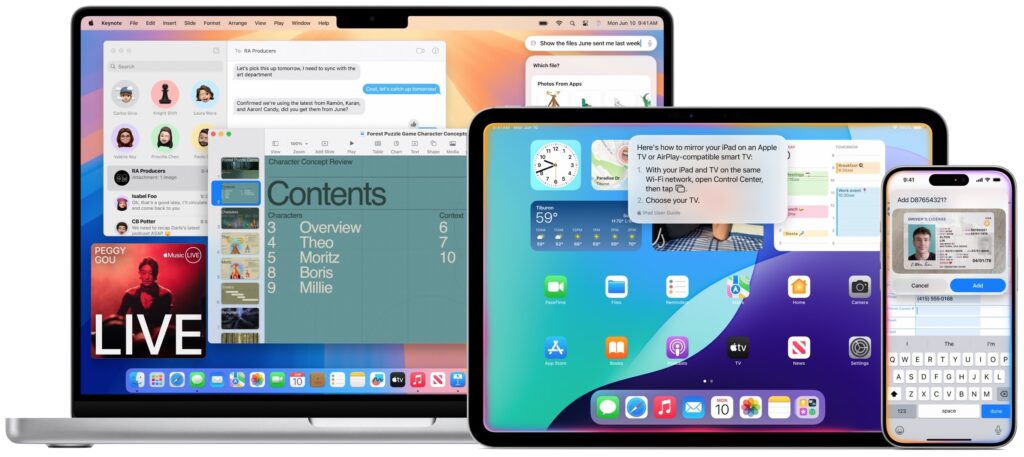
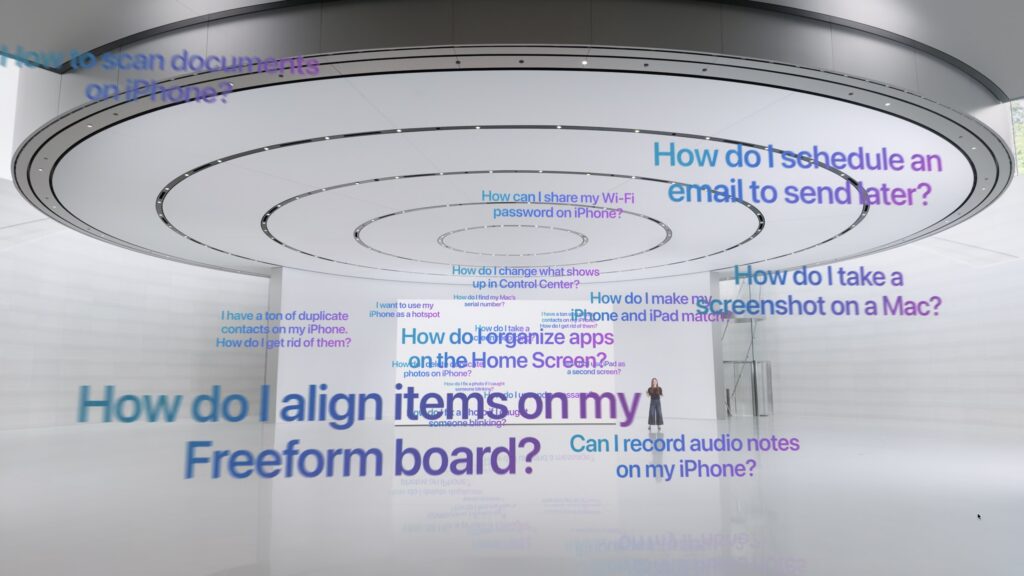
The most prominent use of Apple Intelligence will come with Siri, which will let us speak more naturally and understand what we mean when we make a mistake. We've trained ourselves to only say things that Siri can handle, but that won't be necessary when Siri gains Apple Intelligence capabilities. For example, you'll be able to find photos of your child holding a fishing rod, or ask Siri to find something when you can't remember she was in Mail or Messages. Siri will also be context-aware, so you can ask what the weather will be like at the beach tomorrow, and if the answer is good enough, schedule her a trip there. Siri will also learn a lot about your Apple devices and can help you use them. For the most part, though, Siri won't have global knowledge. If Siri can't answer your question directly, it will offer to send it to ChatGPT for free.
Apple Intelligence also includes writing tools, but unlike ChatGPT, it's not intended to create text from scratch. Instead, it can rewrite the text you've written to help you fix the words or make the tone more appropriate. It can also proofread text, helping you with grammar, word choice, and sentence structure (if you need it now, check out In terms of grammar). Even when Apple creates text intelligence, such as Mail's upcoming Smart Reply feature, it asks you questions to guide your response.
A text summary powered by Apple Intelligence appears repeatedly. In Notes, you will be able to summarize the transcript. If you save a long article for Safari's reader, it can provide a table of contents and summary. In Mail, instead of the first few sentences appearing in the message list, you'll get a short summary. Apple Intelligence can also prioritize and summarize notifications.
Not surprisingly, Apple Intelligence lets you create and edit photos, but it's a far cry from the AI art bots that let you create photo-realistic images. Instead, Apple Intelligence lets you create custom emoji, called Genmoji, that let you express yourself graphically in ways that standard emoji can't support. Image Playground lets you create images to add to conversations and documents, but it limits you to three styles: sketch, illustration, and paint. Apple doesn't want anyone to create DeepFax with Apple Intelligence. A new ImageWand feature in Notes turns your rough sketches into polished images.

Apple took great pains to emphasize the privacy aspects of Apple Intelligence. Most of Apple Intelligence's functionality will be entirely on your device, so powerful Apple Silicon chips with their Neural Engine and Secure Enclave are required. Some tasks require more processing power. To handle them, Apple has developed a highly secure system called Private cloud computing. It relies on Apple Silicon servers, transfers only the data necessary for the job, and stores nothing.
Apple Intelligence features will begin rolling out in the fall and will continue to roll out in feature release updates over the next 6-8 months. They will only work on iPhone 15 Pro, iPhone 15 Pro Max, and iPads and Macs with M1 or later chips. Intel-based Macs and less powerful iPads and iPhones do not need to be implemented. Apple Intelligence will also require Siri and the device language to be set to US English in the initial release, with other languages to follow.
Overall, Apple seems to have put a lot of thought and effort into integrating AI into the Apple experience in focused, helpful ways that offer new capabilities while preserving user privacy. We won't know how well these features will work until they ship, but we're looking forward to seeing how they can improve interactions with our Apple devices.
(Featured Image by Apple)


