 WebMail


4 handy Chromebook upgrades Google didn't mention in its I/O keynote
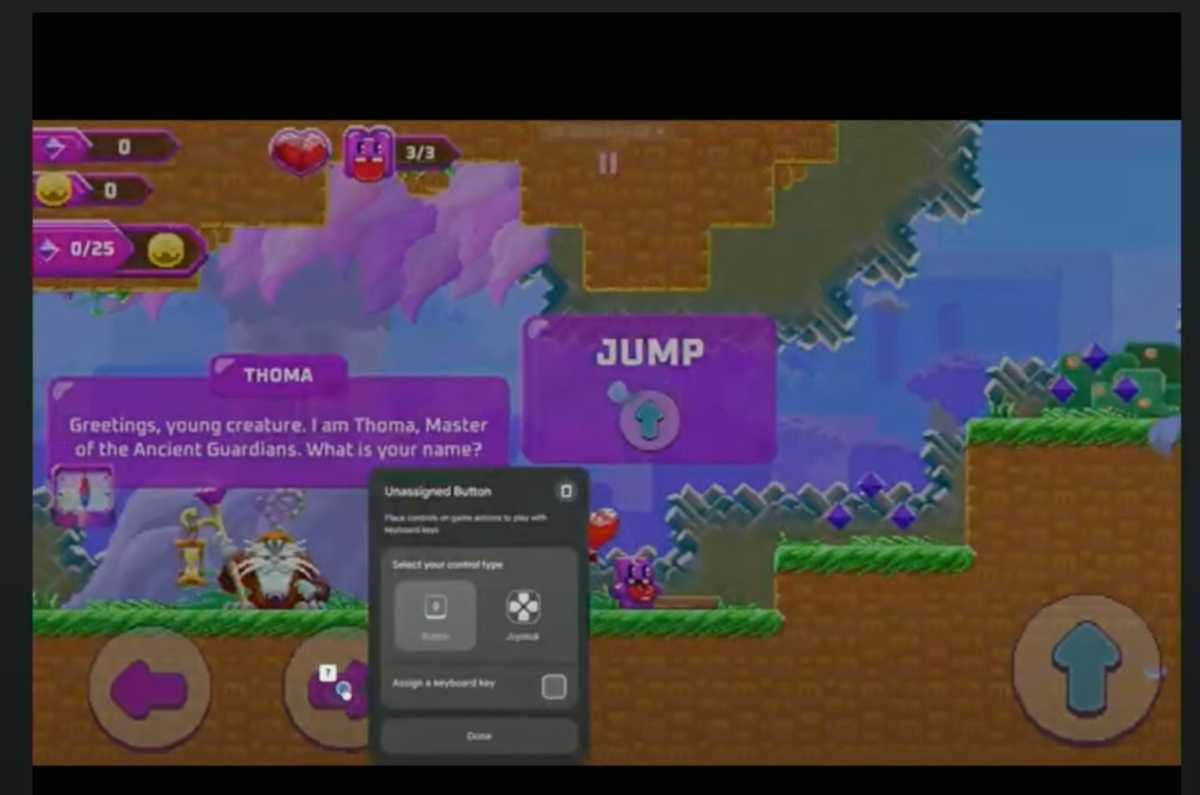
Google has solved a fundamental problem with Chromebook gaming quite brilliantly: How do you play Android touch games on Chromebooks without a touchscreen? For a long time, the answer was simply: you don't. But Google has figured out a way to remap keyboard inputs to touch controls for every game in the Google Play Store, along with several other helpful Chromebook tweaks.
For whatever reason, Google released ChromeOS and Chromebooks Totally from him Keynote at Google I/Oincluding AI-powered search enhancements and more. Interesting AI Tweaks in Gmail. But over to the ongoing debate Whether to buy a laptop or a Chromebook, factoring in the latest developments of Chromebooks is important. This week, Google executives offered a glimpse of the cool new Google technologies coming in the future.
Google calls it Game Controls. According to Emily Roberts, Google's developer relations engineer, the technology was first shown on limited titles in 2022. But it has been replaced with a better editor and wider coverage across all apps in the Play Store. It said game controls are being tested in ChromeOS m125, which is currently in beta, and will be released to the stable channel “soon.”
Google / YouTube
Google / YouTube
Google / YouTube
Similarly, Google is taking a page from other gaming platforms, and allowing gamers to grab clips from their favorite games. “Gamers can take video and screenshots, share them on social media, all without interrupting their game flow,” said Roberts. They did not say when this feature will be released.
Google is also rolling out a pair of new features designed to make it easier for you to add apps to Chromebooks, as well as make them more discoverable for developers. The first, and most prominent, will be an “Add to Chromebook” button that you can see on apps' websites, allowing you to quickly add an app to a launchable standalone form. According to Sam Richard, a senior developer advocate at Google, it works with both PWAs (Progressive Web Applications) as well as Android apps. Clicking the button opens the corresponding entry in the Play Store. It's expected to launch in Chrome OS 125, rolling out over the next few days and weeks.
The “Add to Chromebook” button is live, though developers will have to implement it themselves. Eighteen developer partners have already signed up or committed to using the new “Add to Chromebook” buttons, he said.
“While a lot of people look for apps on the Play Store, Google Search is also incredibly popular for app discovery,” said Richard. “Many people who start their search in search end up on your website.”

Google / YouTube
Google / YouTube
Google / YouTube
Finally, Google is showcasing a tabbed PWA mode. If you download a PWA, Google says, you'll be able to arrange it as a tab instead of each in a separate app window. Figma provided an early example of this, with the home page in one tab, and additional files opened and worked on in other, separate tabs. It reminds of tab. The “Set” interface was tried and then abandoned by Microsoft.but reappeared within File Explorer's tabbed interface.


